AI picture for kids: 7 Easy Steps to Create Fun Images
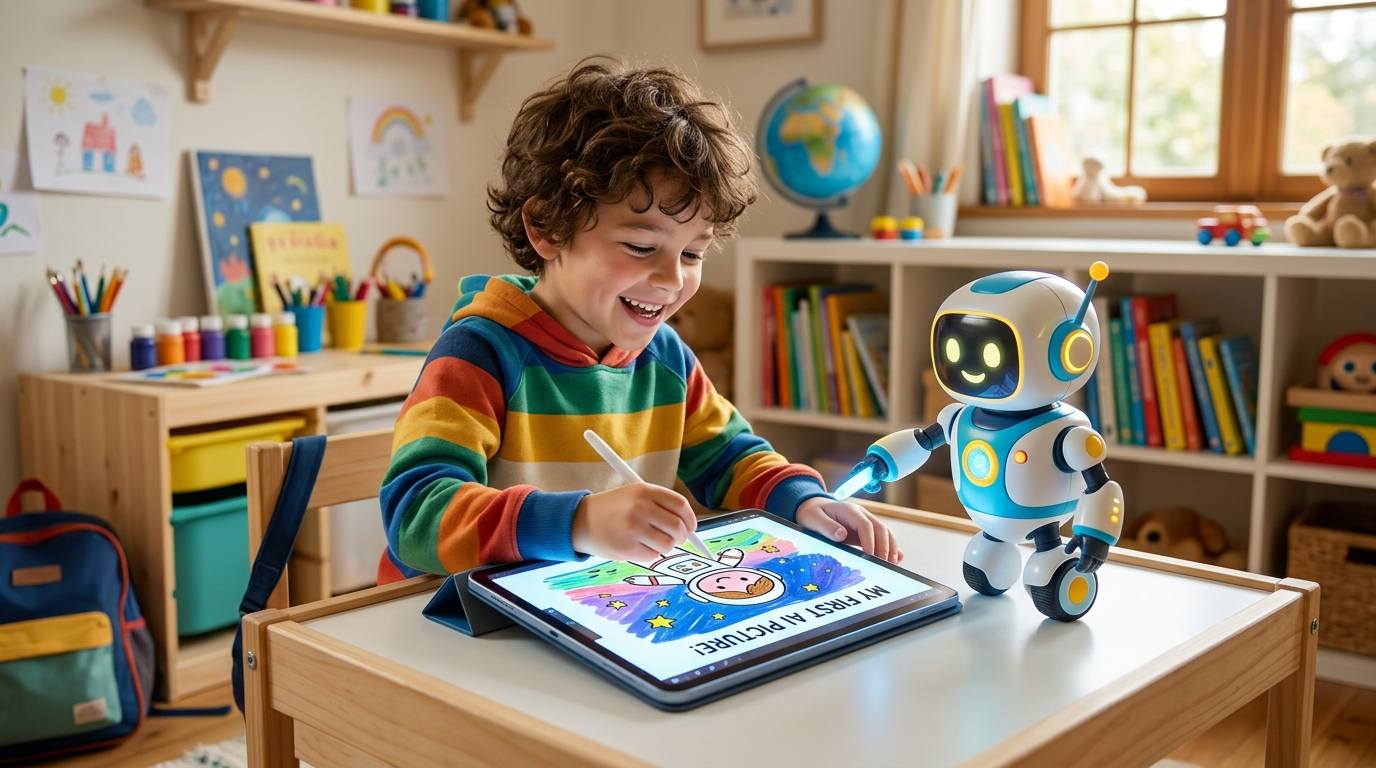
Artificial intelligence is becoming easier for everyone to explore—including children. One of the most exciting ways kids can learn about AI is by creating their own pictures from simple text descriptions.
With an AI picture for kids, children can turn their imagination into colorful digital artwork. They can describe a robot exploring space, a magical forest, a friendly dinosaur, or even their dream playground, and an AI image generator can transform the idea into a picture.
But how does it work, and how can parents and teachers help children use AI safely?
In this guide, we’ll explain how kids can create their first AI picture, provide simple prompt examples, and share important safety tips for using AI responsibly.
Creating an AI picture for kids is a simple way to introduce children to artificial intelligence while encouraging creativity and imagination.
What Is an AI Picture?
An AI picture for kids can be anything from a friendly robot to a magical forest, space adventure, or imaginary animal.
Instead of drawing every part of an image manually, a child can type a description called a prompt. The AI then analyzes the words and creates an image based on the description.
For example, a child could write:
“A cute yellow robot riding a bicycle on the moon, colorful cartoon style.”
The AI may turn those words into a completely new digital picture.
Creating an AI picture for kids can therefore become an interesting way for children to combine creativity, storytelling, technology, and imagination.
Why Should Kids Learn About AI Image Creation?
Learning how to make an AI picture for kids can turn screen time into a creative learning activity.
1. It Encourages Creativity
Children can experiment with ideas that may be difficult to draw by hand.
They can imagine unusual characters, fantasy worlds, futuristic cities, or animals that don’t exist and see how AI interprets their descriptions.
Instead of simply looking at AI-generated content, children can become creators and experiment with their own ideas.
2. It Teaches Children How AI Works
Writing a prompt gives children a simple introduction to the idea that computers can process human instructions and generate results.
They begin to understand that AI does not simply “read their minds.” It uses the information provided in their instructions to produce an output.
The UNESCO AI Competency Framework for Students explains how students can develop competencies to understand, apply, and create with AI while becoming responsible and creative users of the technology.
3. It Improves Communication Skills
Good AI pictures often start with good descriptions.
Children learn that adding details such as colors, locations, characters, objects, and actions can change the result.
For example:
Simple prompt:
“A dog in a park.”
More detailed prompt:
“A small golden puppy playing with a red ball in a sunny green park, colorful cartoon style.”
The second prompt gives the AI much more information to work with.
4. It Makes Technology More Interactive
Instead of only consuming content online, children can become creators.
They can use AI as a creative tool to turn their own ideas into something visual.
This can also provide an opportunity for parents and teachers to discuss how AI tools work and why people should think critically about their results.
How to Create an AI Picture for Kids
Creating an AI picture for kids can be broken down into seven simple steps.
Step 1: Start With an Idea
Ask the child:
“What would you like to see in your picture?”
The best AI picture for kids starts with an idea that the child finds exciting.
Some ideas include:
- A robot playing football
- A dinosaur at school
- A castle in the clouds
- A cat exploring space
- An underwater city
- A superhero helping animals
- A friendly alien visiting Earth
The goal is to let the child start with their own imagination.
Step 2: Describe the Picture
Next, turn the idea into a short sentence.
For example:
“A friendly blue robot walking through a jungle.”
This is the beginning of the AI prompt.
At this stage, children don’t need to know complicated AI terminology. They simply need to learn how to describe what they want.
Step 3: Add More Details
Encourage the child to answer simple questions:
- What does the character look like?
- Where is it?
- What is it doing?
- What colors should appear?
- Should the picture look like a cartoon, painting, or illustration?
For example:
“A friendly blue robot walking through a bright green jungle, surrounded by colorful birds and butterflies, in a fun cartoon style.”
Now the AI has more information to work with.
Step 4: Enter the Prompt Into an AI Image Tool
With help from a parent, teacher, or another trusted adult, the child can enter the prompt into an age-appropriate AI image creation tool.
The AI will generate an image based on the description.
The first result may not look exactly like the child imagined—and that’s completely normal.
Different AI tools have different features, age requirements, and safety controls, so adults should check the service’s policies before allowing children to use it.
Step 5: Look Carefully at the Result
After the image is generated, don’t immediately accept it as perfect.
Ask the child:
- Does the picture look like your idea?
- Did the AI add anything unexpected?
- Are the colors correct?
- Is the character doing what you asked?
- What would you change?
This turns image generation into a critical-thinking exercise.
Step 6: Improve the Prompt
Children can change their prompt and try again.
For example:
First attempt:
“A dinosaur in a city.”
Improved prompt:
“A friendly green dinosaur walking through a futuristic city with tall buildings and flying cars, colorful children’s cartoon illustration.”
Changing the description can produce a very different result.
This teaches children that AI works best when people give clear instructions and review the results.
Step 7: Share and Explain the Creation
Once the child has created an image they like, encourage them to explain it.
They could answer:
- What did you create?
- Why did you choose this idea?
- What prompt did you use?
- What changed between your first and final image?
- What did the AI get right or wrong?
For classroom activities, students could present their images and explain the creative choices behind them.
Easy AI Picture Prompts for Kids
Here are some simple prompts children can experiment with.
Space Adventure
“A happy child astronaut exploring a colorful planet with friendly aliens and glowing stars, fun cartoon style.”
Magical Forest
“A magical forest filled with colorful flowers, friendly fairies, butterflies, and a small wooden house, children’s storybook illustration.”
Robot Friend
“A cute little robot helping children plant flowers in a school garden, bright and colorful cartoon style.”
Underwater World
“A colorful underwater city where friendly dolphins, turtles, and fish live together, children’s cartoon illustration.”
Dinosaur School
“Friendly dinosaurs learning together in a colorful classroom, with books, pencils, and a teacher dinosaur, fun cartoon style.”
Future School
“A futuristic school with flying classrooms, friendly robots, colorful gardens, and children learning together, bright children’s illustration.”
These examples show children that a good prompt doesn’t have to be complicated. It simply needs to communicate the idea clearly.
How to Write a Good AI Prompt
Children don’t need complicated instructions to create interesting AI pictures.
A useful prompt can follow this simple formula:
Character + Action + Place + Details + Style
For example:
Character: A friendly robot
Action: Riding a bicycle
Place: On the moon
Details: Colorful stars and Earth in the background
Style: Children’s cartoon
Put together:
“A friendly robot riding a bicycle on the moon, with colorful stars and Earth in the background, children’s cartoon style.”
This simple structure can help children understand how detailed instructions affect AI-generated results.
It also teaches an important digital skill: clear communication.
Let Kids Be the Creators
When children use AI to create pictures, adults should avoid doing everything for them.
Instead, parents and teachers can ask questions such as:
- “What do you want your picture to show?”
- “What color should the robot be?”
- “Where should the story take place?”
- “What should happen next?”
- “What would you change about the picture?”
This keeps the child at the center of the creative process.
The AI should be treated as a creative assistant, not as the creator of the child’s ideas.
Parents can also explore Common Sense Media’s guide to helping kids navigate artificial intelligence, which discusses the benefits and risks of AI, adult guidance, privacy, critical thinking, and responsible use.
AI Picture for Kids: Safety Tips
AI can be fun and educational, but children should learn some basic safety rules before using AI tools.
Don’t Share Personal Information
Children should never enter private information such as:
- Full name
- Home address
- Phone number
- Passwords
- School login details
- Other sensitive information
Parents and teachers should help children understand what information should remain private online.
UNICEF’s Guidance on AI and Children highlights important areas including children’s safety, data and privacy, fairness, transparency, well-being, and preparing children for AI.
Use AI With an Adult
Younger children should use AI image tools with guidance from a parent, teacher, or another trusted adult.
Adults can help children choose appropriate tools and explain what AI-generated content means.
Common Sense Media also recommends that families explore AI tools together and emphasizes the importance of adult support when children use new AI technologies.
Check the Result
AI doesn’t always create exactly what someone asks for.
Sometimes images may contain strange details, unexpected objects, or inaccurate representations.
Children should learn to look carefully at what the AI created rather than assuming that every AI result is correct.
This is an important part of AI literacy: AI can produce impressive results, but impressive doesn’t always mean accurate or appropriate.
Don’t Create Harmful or Inappropriate Images
Children should use AI for positive and age-appropriate creative activities.
Parents and teachers can establish clear rules about what kinds of images children are allowed to create.
Children should also understand that having access to an AI tool doesn’t mean every possible use of that tool is appropriate.
AI Picture for Kids: A Fun Classroom Activity
Teachers can turn AI image generation into a classroom project.
For example, the teacher can give students the challenge:
“Design your dream future school.”
Each student creates a prompt describing their school.
They might include:
- Robot teachers
- Flying school buses
- Digital classrooms
- Treehouse libraries
- Solar-powered buildings
- Friendly AI assistants
- Indoor gardens
After creating their pictures, students can explain their designs to the class.
This combines AI literacy, creativity, writing, speaking, and critical thinking in one activity.
Teachers can also connect the activity to broader digital literacy lessons and age-appropriate AI education. UNESCO’s student framework specifically describes AI learning across the levels of understand, apply, and create.
What Can Kids Learn From AI Art?
Creating an AI picture for kids can introduce children to several important digital skills.
Creativity
Children practice turning imagination into visual ideas.
Prompt Writing
They learn how specific instructions can affect an AI-generated result.
Critical Thinking
They learn to examine whether the result actually matches their original idea.
Digital Literacy
Children begin to understand that AI is a tool that produces outputs based on information and instructions.
Responsible Technology Use
They learn that powerful technologies should be used safely and thoughtfully.
Communication
Children learn that explaining an idea clearly can influence the result they receive from an AI tool.
AI Is a Tool, Not a Replacement for Imagination
One important lesson for children is that AI does not replace their creativity.
A child still needs to decide what they want to create, describe their idea, evaluate the result, and decide what to change.
The most valuable part of the activity is not necessarily the final image. It is the creative thinking behind it.
Parents and teachers can encourage children to draw their own version first and then compare it with an AI-generated version.
For example, a child could first draw a robot by hand and then create an AI picture of the same robot. They can compare the two pictures and discuss how human creativity and AI-generated images are different.
This makes the activity about more than technology—it becomes an opportunity to talk about creativity, imagination, and critical thinking.
Frequently Asked Questions About AI Picture for Kids
Can children create AI pictures?
Children can explore AI image creation with appropriate adult guidance and age-appropriate tools. Parents and teachers should check the age requirements and safety features of any service before allowing a child to use it.
What should kids put in an AI image prompt?
Kids can describe the character, action, location, details, colors, and artistic style they want in their picture.
Is AI image generation safe for children?
AI image generation can be used as a learning and creative activity, but it should be supervised appropriately. Children should avoid sharing personal information and should use tools that are suitable for their age.
Can AI replace children’s drawing?
No. AI can be a creative tool, but children can still benefit from drawing, writing, designing, and creating things themselves. AI should support creativity rather than replace opportunities for children to develop their own skills.
Final Thoughts
Creating an AI picture for kids can be a simple and exciting introduction to artificial intelligence. With a basic idea, a clear prompt, and guidance from a trusted adult, children can turn their imagination into digital artwork.
The best way to introduce AI to children is to make it creative, educational, age-appropriate, and safe.
Whether a child wants to design a robot friend, explore an imaginary planet, or build a magical world, AI can provide a new way to bring those ideas to life.
The key is to remember:
The child provides the imagination, while AI provides the creative assistance.