AI for Learning: 10 Smart, Proven Ways Students Succeed
Introduction
Studying looks different than it did even five years ago. Between apps that explain concepts on demand and tools that turn a messy set of notes into a study guide, AI for learning has quietly become part of how students work, revise, and prepare for exams.
Used well, AI can save time, reduce frustration, and help students understand difficult material faster. Used carelessly, it can just as easily become a shortcut that skips the actual learning.
This guide walks through 10 smart, practical ways students can use AI for learning — plus a few honest cautions about where it can go wrong.
For context on the guardrails schools and researchers recommend, UNESCO’s Guidance for Generative AI in Education and Research is a useful starting point.
Why AI for Learning Is Worth Understanding
Before looking at specific tools and techniques, it helps to understand what AI for learning actually means in practice.
AI for learning generally refers to using AI-powered tools to:
- Explain concepts in simpler language
- Generate practice questions
- Summarize long readings
- Organize notes and schedules
- Give feedback on writing
- Support language practice
None of this replaces a student’s own thinking. AI works best as a study partner, not a substitute for doing the work. For a broader look at how these systems operate, see our beginner’s guide to how AI actually works.
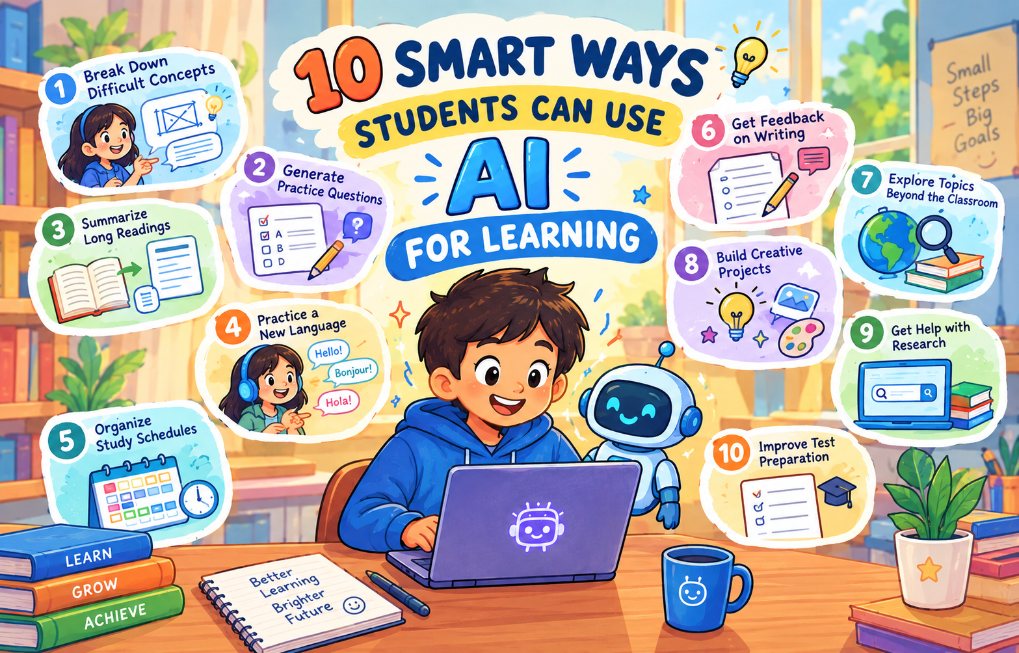
10 Smart Ways Students Can Use AI for Learning
1. Breaking Down Difficult Concepts
One of the most useful ways students apply AI for learning is asking it to re-explain something that didn’t make sense the first time.
If a textbook explanation feels too dense, a student can ask an AI tool to explain the same idea:
- In simpler language
- With a real-world example
- As a step-by-step breakdown
- Using an analogy
This turns a confusing paragraph into something a student can actually work with, rather than re-reading the same sentence five times.
2. Generating Practice Questions
AI for learning is especially useful for self-testing.
Instead of only re-reading notes, students can ask an AI tool to generate:
- Multiple-choice questions
- Short-answer questions
- Flashcard-style prompts
- Quiz questions based on a specific chapter
Practice testing is one of the most effective study techniques, and AI makes it much faster to create fresh questions instead of reusing the same three practice problems from a textbook.
3. Summarizing Long Readings
Long articles, research papers, and textbook chapters can take a long time to get through.
AI tools can help students:
- Get a quick overview before reading in full
- Identify the main argument or findings
- Review a summary before a class discussion
A summary should be a starting point, not a replacement for reading the original material when it actually matters for a grade or a real understanding of the topic.
4. Practicing a New Language
Language learning is one of the clearest everyday examples of AI for learning in action.
Students can use AI tools to:
- Practice conversations in a new language
- Get instant grammar corrections
- Build vocabulary through repetition
- Translate unfamiliar phrases while reading
This gives students a low-pressure way to practice speaking or writing before doing it in front of a class.
5. Organizing Study Schedules
Beyond explaining content, AI for learning can also help with the logistics of studying.
Students can use AI tools to:
- Build a study schedule before an exam
- Break a big project into smaller deadlines
- Set reminders for assignments
- Balance study time across multiple subjects
This is especially helpful for students juggling several classes at once, where the hardest part isn’t understanding the material but finding time to review it.
6. Getting Feedback on Writing
AI writing tools can give students feedback on a draft before it’s submitted.
This can include feedback on:
- Grammar and sentence structure
- Clarity and organization
- Whether an argument is easy to follow
- Overly complex or repetitive wording
This kind of feedback loop helps students improve their own writing over time, rather than only fixing what an AI tool rewrites for them. Our guide on digital literacy for students and parents goes deeper into using these tools responsibly.
7. Exploring Topics Beyond the Classroom
Curiosity doesn’t always fit neatly into a class schedule.
Students can use AI for learning to explore topics that interest them but aren’t part of the curriculum, such as:
- A historical event mentioned briefly in class
- A science topic that wasn’t fully covered
- A current event connected to a school subject
- A career field a student is curious about
This kind of independent exploration can build genuine interest in a subject, not just exam-driven studying.
8. Preparing for Presentations and Discussions
Before a class presentation or discussion, students can use AI tools to:
- Organize talking points
- Anticipate likely questions
- Practice explaining a topic out loud
- Tighten up a rambling outline into a clear structure
This helps students walk into a presentation with more confidence, since they’ve already thought through how to explain their ideas.
9. Reviewing Math and Science Problems
AI for learning can be particularly helpful in subjects with clear right and wrong answers, like math and science.
Students can use AI tools to:
- Check their work on a problem
- See a different method for solving the same problem
- Get a step-by-step walkthrough instead of just a final answer
- Practice similar problems for more repetition
The most useful approach is asking for the reasoning behind a solution, not just the final number — copying an answer without understanding it doesn’t actually help on a test.
10. Building Better Study Habits Overall
Finally, AI for learning can help students reflect on how they study, not just what they study.
Students can use AI tools to:
- Identify which topics they consistently struggle with
- Track which study methods actually help them retain information
- Get suggestions for spacing out review sessions
- Set realistic, specific study goals
Over time, this kind of reflection can matter more than any single AI-generated explanation, because it changes how a student studies long after the tool is closed. Explore more structured approaches in our AI learning paths for students and educators.
Where AI for Learning Can Go Wrong
AI for learning is most useful when it supports thinking, not when it replaces it.
A few honest cautions worth keeping in mind:
- Copy-pasting answers without understanding them can hurt a student more than help, especially on tests where AI isn’t allowed.
- AI can be wrong. It can produce confident-sounding but incorrect explanations, so important facts should still be checked.
- Over-reliance can weaken skills like writing, problem-solving, and independent research if AI is used to skip effort rather than support it.
- School policies vary. Some teachers and institutions restrict or ban AI use for certain assignments, so it’s worth checking the rules before relying on it for graded work.
How to Use AI for Learning Responsibly
A few simple habits can help students get the benefits of AI for learning without the downsides:
Use AI to understand, not just to finish Ask “why” and “how,” not only “what’s the answer.”
Check important facts Verify anything that matters for a grade or a real decision using a textbook or teacher.
Know the rules Different classes and schools have different policies on AI use — follow them.
Keep practicing the hard parts yourself Let AI explain a concept, but do the practice problems and writing yourself.
Treat it as a study partner AI for learning works best as a second opinion, not a replacement for class or a teacher.
Frequently Asked Questions
What does AI for learning mean? AI for learning refers to using AI-powered tools to support studying, such as explaining concepts, generating practice questions, summarizing readings, and giving feedback on writing.
Is it okay for students to use AI for homework? It depends on the school and the assignment. Many teachers allow AI for studying and understanding concepts but restrict it for graded work. Students should always check their school’s specific policy.
Can AI replace a teacher? No. AI can support learning by explaining concepts and generating practice material, but it does not replace a teacher’s guidance, feedback, and understanding of an individual student’s needs.
Does using AI for learning hurt a student’s own skills? It can, if used to skip effort rather than support it. Using AI to understand a concept and then practicing it independently is a healthier approach than copying AI-generated answers.
What is the best way for students to start using AI for learning? A good starting point is using AI to explain a confusing concept in simpler terms or to generate practice questions on a topic already being studied in class.
Is AI for learning only useful for certain subjects? No. It can support language practice, math and science problem review, writing feedback, research, and general study organization across almost any subject.