AI Activities for Primary School Students: 10 Amazing, Must-Try Ideas
Introduction
Young learners are growing up surrounded by AI — from voice assistants at home to smart apps at school. That makes AI activities for primary school students one of the best ways to introduce AI literacy early, in a way that feels like play rather than a lecture.
You don’t need advanced technology or coding skills to get started. Many AI activities for primary school students use simple, age-appropriate tools and hands-on exercises that build curiosity, critical thinking, and a basic understanding of how AI works — all before a child reaches secondary school.
In this guide, we walk through 10 amazing, must-try AI activities for primary school students, along with simple explanations of what each one teaches and why it matters. If your students have already explored our AI in Everyday Life guide, these activities are a natural next step — turning that awareness into hands-on practice.
Why AI Activities for Primary School Students Matter
Introducing AI activities for primary school students early helps children:
- Understand that AI is a tool, not magic
- Recognize where AI shows up in everyday life
- Build healthy questioning habits (“Is this true? Is this fair?”)
- Get comfortable with technology without becoming overly dependent on it
- Develop early digital literacy skills that grow with them
UNESCO’s AI Competency Framework for Students highlights exactly this kind of age-appropriate foundation as essential groundwork for later, more advanced AI learning. As students get older, this foundation connects directly to the study skills covered in our AI for Learning guide for older students.
10 Amazing AI Activities for Primary School Students
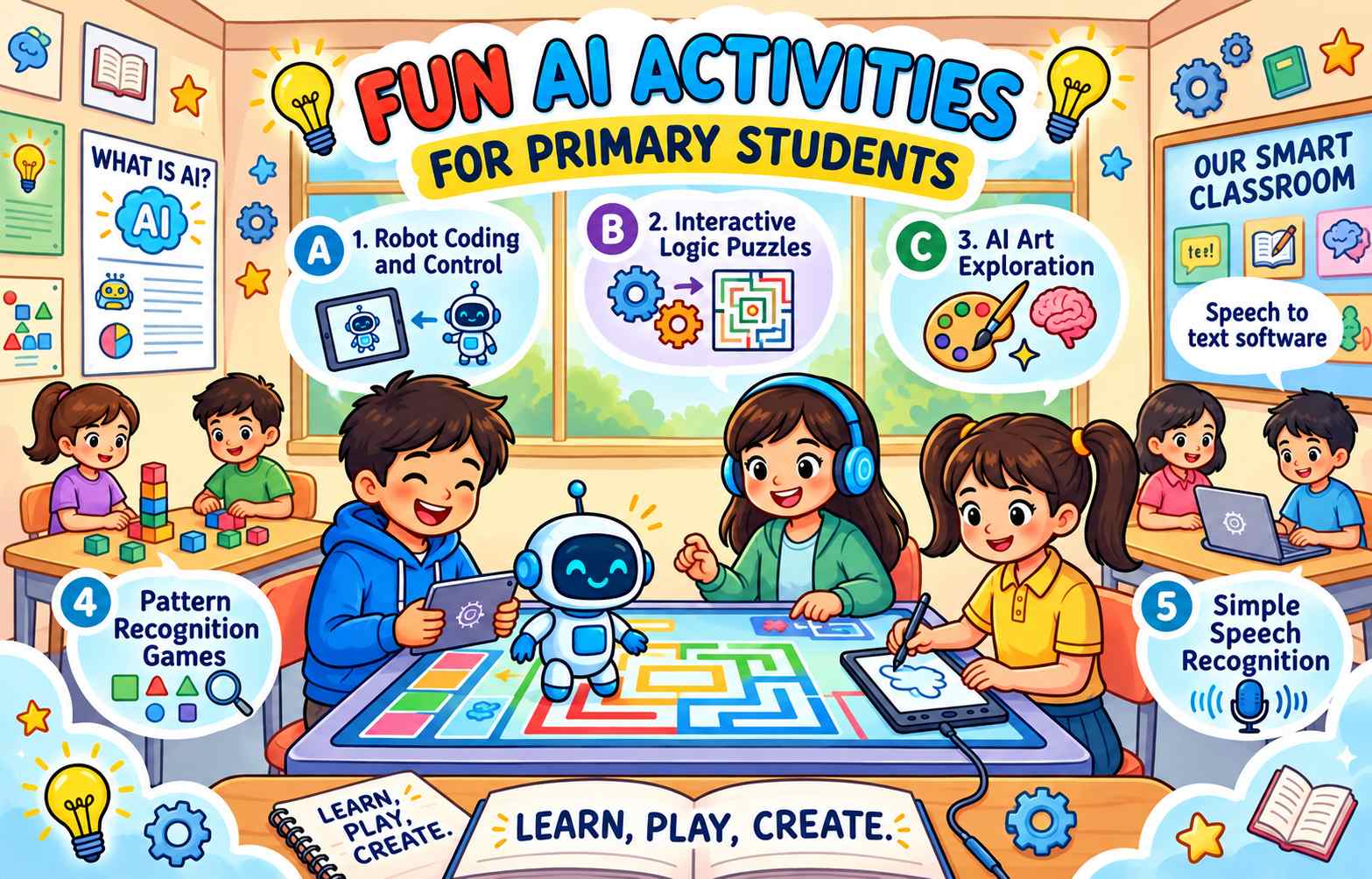
1. “Spot the AI” Scavenger Hunt
One of the simplest AI activities for primary school students is a scavenger hunt for AI in daily life.
Ask students to spot examples such as:
- A voice assistant answering a question
- A map app suggesting a route
- A video platform recommending a show
- A photo app organizing pictures
Students write or draw what they found and explain, in their own words, what they think the AI was doing.
What you’ll need: Paper or a simple worksheet, and access to the everyday devices already used at home or school (no new tools required).
Learning outcome: Students learn to notice AI in ordinary situations instead of thinking of it as something distant or futuristic.
2. Teach a “Robot” Game
This unplugged activity teaches how AI follows instructions, without needing any screens at all.
One student plays the “robot” and can only follow exact instructions given by classmates (for example, “take two steps forward,” “turn left”). If the instructions are unclear, the “robot” gets it wrong — just like real AI systems that only do exactly what they’re told.
This is a fun, memorable way to explain why AI needs clear, precise information to work well.
What you’ll need: Open classroom space and nothing else — this is a fully unplugged activity.
Learning outcome: Students grasp that AI doesn’t “understand” intentions the way people do; it follows instructions literally, so clear input matters.
3. Sorting Game: Human or AI?
Show students a set of simple tasks or statements and ask them to sort them into “things AI can do easily,” “things AI struggles with,” and “things only humans can do.”
This activity builds early critical thinking about AI’s strengths and limits — an important foundation for AI literacy.
What you’ll need: A set of task cards prepared in advance (e.g., “recognize a cat in a photo,” “comfort a sad friend,” “solve a math problem,” “understand sarcasm”).
Learning outcome: Students begin to see AI as capable in some areas and limited in others, rather than all-powerful or unreliable.
4. Draw Your Own Robot Helper
Have students design and draw an imaginary AI helper that solves a problem they care about, such as helping with homework, finding a lost toy, or reminding them to feed a pet.
Ask them to explain what information their robot helper would need to do its job. This introduces the idea that AI needs data and instructions to be useful.
What you’ll need: Drawing paper and coloring supplies.
Learning outcome: Students connect the abstract idea of “AI needs data” to a concrete, personal example they designed themselves.
5. Pattern Recognition Practice
AI is very good at recognizing patterns, and students can practice this skill themselves with simple pattern puzzles — shapes, colors, or number sequences.
After the activity, explain that AI tools like photo apps and recommendation systems use pattern recognition too, just with much larger amounts of information.
What you’ll need: Printable pattern worksheets or simple manipulatives like colored blocks.
Learning outcome: Students experience pattern recognition firsthand, making it easier to understand how AI tools “learn” from examples.
6. Storytelling with an AI Voice Assistant
Using a household or classroom voice assistant, have students ask for a simple story, a fun fact, or a joke.
Afterward, discuss as a class:
- Was the answer correct?
- Could it have been wrong?
- How would we check if we weren’t sure?
This builds healthy skepticism early, which is one of the most important AI literacy habits for young students.
What you’ll need: Access to a classroom or teacher-controlled voice assistant device.
Learning outcome: Students practice questioning an AI response instead of automatically trusting it — a habit that becomes increasingly important as they use more AI tools independently.
7. AI Art Exploration (With Supervision)
Older primary students can explore simple, school-appropriate AI image or drawing tools under teacher supervision to see how AI can generate pictures from a written description.
Follow up with a class discussion: What surprised them? What did the AI get wrong? This activity works best framed as a guided demonstration rather than independent use.
What you’ll need: A teacher-supervised, age-appropriate AI image tool and a projector or shared screen so the whole class can watch together.
Learning outcome: Students see firsthand how the wording of a request changes an AI’s output, an early introduction to how instructions shape AI results.
8. Build a Simple Decision Tree
On paper or a whiteboard, help students build a simple “if this, then that” flowchart for a daily decision, like choosing what to wear based on the weather.
This is a gentle, unplugged introduction to how some AI systems make decisions step-by-step based on rules and data.
What you’ll need: A whiteboard or large paper and markers.
Learning outcome: Students build an early mental model of rule-based decision-making, which underlies many simpler AI systems.
9. Compare Search Results Together
As a guided class activity, search a simple, safe question together and look at the results with students.
Ask:
- Do all the results agree?
- How can we tell which one is trustworthy?
- Why might different searches give different answers?
This activity connects AI activities for primary school students directly to real-world information literacy.
What you’ll need: A teacher-led search on a shared screen, using a pre-checked, age-appropriate question.
Learning outcome: Students learn that not all information sources agree, and that checking multiple sources is a healthy habit — whether the source is a search engine, an AI tool, or a book.
10. Class Discussion: “What Should AI Never Do?”
End with an open, age-appropriate class discussion about the limits of AI — questions like “Should AI ever make an important decision by itself?” or “Why do we still need teachers and parents even with AI around?”
This kind of reflection helps young students build a thoughtful, balanced view of AI rather than either fear or blind trust.
What you’ll need: Nothing beyond classroom discussion time — this works well as a closing circle-time activity.
Learning outcome: Students practice forming and expressing their own opinions about AI’s role and limits, an important early step in ethical thinking about technology.
How Teachers and Parents Can Support These Activities
A few simple practices help these AI activities for primary school students go smoothly:
Keep it age-appropriate Choose activities and tools designed for young learners, with adult supervision for anything involving open internet access.
Focus on discussion, not just doing The conversation after an activity — what worked, what didn’t, why — often teaches more than the activity itself.
Model healthy skepticism Show students that it’s normal and smart to double-check what AI tells you.
Follow school and platform policies Always check age requirements and school guidelines before using any AI tool with students.
Keep it fun At the primary level, the goal is curiosity and comfort with AI concepts — not technical mastery.
Adapting These Activities by Age
Not every primary classroom is the same, so it helps to adjust these AI activities for primary school students based on age group.
Ages 5-7 (early primary) Stick to fully unplugged activities like the robot game, pattern recognition, and drawing a robot helper. Keep discussions short and concrete — focus on “what AI can do” rather than abstract reasoning about limitations.
Ages 8-9 (middle primary) Introduce the scavenger hunt, sorting game, and voice assistant storytelling. Students at this age can start handling simple “why” questions, like why an AI answer might be wrong.
Ages 10-11 (upper primary) This is a good age for the decision tree exercise, comparing search results, supervised AI art exploration, and the closing “What Should AI Never Do?” discussion. Older primary students can handle more nuanced conversations about AI’s role and limitations, which also helps prepare them for the more independent AI use they’ll encounter once they move on to the activities in our AI for Learning guide.
Regardless of age group, the same core principle applies: these AI activities for primary school students work best as guided, discussion-rich experiences rather than independent screen time.
Conclusion
AI activities for primary school students don’t need to be complicated or high-tech. Simple games, guided discussions, and hands-on exercises can teach the core ideas behind AI — patterns, instructions, data, and limitations — in ways that are engaging and age-appropriate.
Starting early with AI literacy gives students a strong, thoughtful foundation for the more advanced AI learning they’ll encounter later in school and beyond.
Related Source
UNESCO — AI Competency Framework for Students UNESCO’s framework explains the knowledge, skills, ethics, and human-centred competencies learners need to understand and use AI responsibly, starting from an early age.
Read the UNESCO AI Competency Framework for Students
Frequently Asked Questions
What are good AI activities for primary school students? Good activities include unplugged games like “Spot the AI” or the robot instruction game, pattern recognition puzzles, guided voice assistant storytelling, and simple class discussions about what AI can and can’t do.
Do primary school students need to code to learn about AI? No. Most AI activities for primary school students focus on concepts like patterns, instructions, and critical thinking rather than coding, which is usually introduced at older ages.
Is it safe for young children to use AI tools? It depends on the tool. Any AI activity involving internet access or open-ended AI tools should be supervised by a teacher or parent and follow age requirements and school policy.
Why teach AI literacy this early? Starting AI literacy young helps students build healthy habits — like checking facts and understanding AI’s limitations — before they’re using AI tools more independently in later school years.
Can these activities be done without any technology? Yes. Several of these activities, like the robot instruction game, the human-vs-AI sorting game, and the decision tree exercise, require no screens at all.