Is AI Safe for Kids to Learn?
Introduction
More children are starting to use AI for homework, questions, stories, coding, pictures, and creative projects. So it is natural for parents to ask: Is AI safe for kids to learn?
The answer is not simply yes or no.
AI can help children understand difficult topics and explore new ideas. But it can also give wrong information, collect personal data, or produce content that may not suit every age. The safest approach is to choose suitable tools, stay involved, and teach children how to use AI carefully.
AI Can Be a Helpful Learning Tool
AI can support learning when children use it as a helper rather than an answer machine.
For example, a child might ask AI to:
- Explain a difficult science topic in simple words
- Create practice questions for an exam
- Give hints for a maths problem
- Suggest ideas for a story
- Help brainstorm a school project
- Explore beginner coding
- Create ideas for art or design
These activities can make learning more interactive. But the child should still be doing the main thinking.
A simple routine is:
Try first → Ask AI for help → Check the answer → Improve your work
This keeps AI in the role of an assistant.
AI Can Give Wrong or Confusing Answers
One of the biggest things parents should explain is that AI is not always correct. AI can sometimes give information that sounds confident and well written even when it is wrong. For adults, this may be easier to notice. For children, it can be harder.
Suppose a child asks AI a question about Nepal’s history and receives a detailed answer. The answer may look convincing, but some dates or facts could still be incorrect.
Teach children to ask:
- Does this answer make sense?
- Can I check this in my textbook?
- Does my teacher say the same thing?
- Can I find the same information on a trusted website?
This turns AI use into a chance to practise critical thinking.
Protect Your Child’s Privacy
Children should also understand that AI tools are online services, not private friends or diaries.
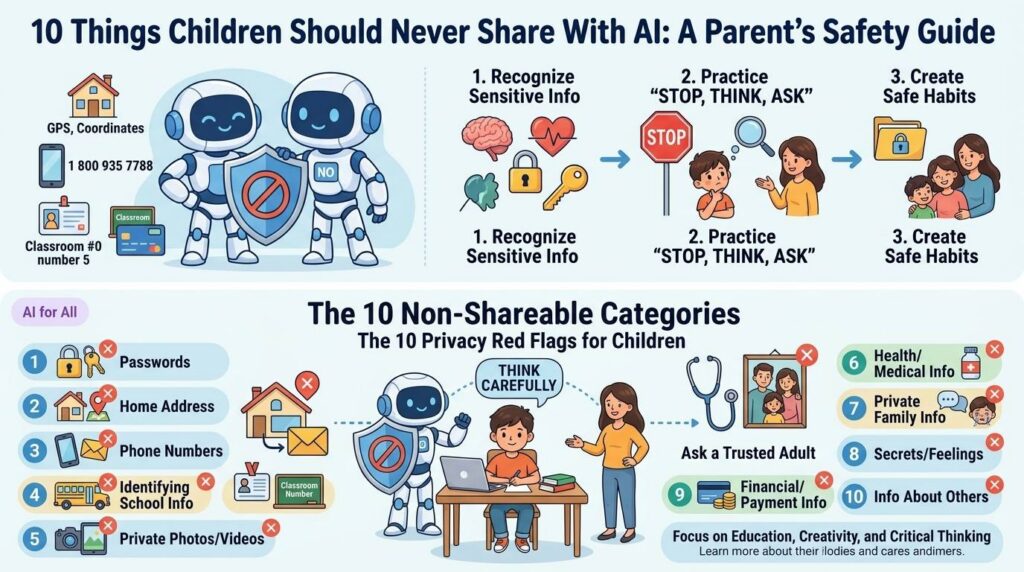
They should avoid entering information such as:
- Full name
- Home address
- Phone number
- Passwords
- School ID
- Private family information
- Bank or payment details
- Personal photos or documents
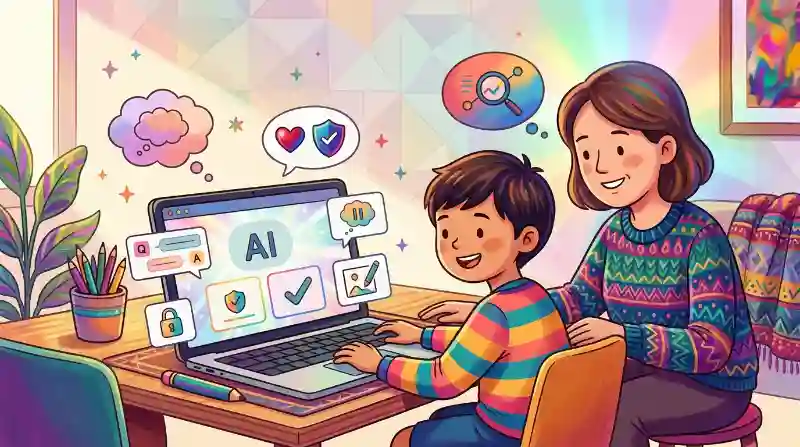
Parents should also look at a tool’s privacy information and age requirements before allowing a child to use it. Not every AI chatbot or image tool is designed for children. For younger children, it is usually better to explore AI together with a parent, teacher, or trusted adult.
A useful rule is:
If AI does not need to know it, do not share it.
Choose Tools That Match Your Child’s Age
Different AI tools are designed for different users. A tool suitable for a teenager may not be suitable for a seven-year-old.
Before allowing your child to use an AI platform, ask:
- What age is this tool meant for?
- Does it have safety controls?
- Can it show unsuitable content?
- What information does it collect?
- Does the child need an account?
- Can a parent or teacher supervise its use?
For younger children, simple educational AI activities are often a better starting point than open-ended chatbots. Parents do not need to test every new AI product. A small number of trusted tools is usually enough.
Watch for Over-Reliance on AI
AI becomes less useful when children start depending on it for every task.
For example:
Helpful use:
“Give me a hint for this maths problem.”
Poor use:
“Complete all my maths homework.”
Children still need practice in:
- Reading
- Writing
- Remembering
- Problem-solving
- Drawing
- Speaking
- Creating original ideas
If AI does all the difficult work, children may miss the practice that helps them improve.
Parents can ask one useful question:
“What part did you do yourself?”
That helps keep the child at the centre of the learning.
Create Simple Family Rules for AI
Parents do not need a complicated AI policy at home. Start with a few rules everyone understands.
- Keep personal information private.
- Follow the school’s rules about AI and homework.
- Try the task yourself before asking AI.
- Check important answers.
- Do not copy AI work and pretend it is your own.
- ell an adult if something feels strange, upsetting, or confusing.
It also helps to occasionally sit with your child while they use AI.
Ask:
“What are you trying to learn?”
“What did AI suggest?”
“Do you think that answer is correct?”
“How could you improve it?”
These short conversations can teach good habits without making AI feel scary.
Conclusion
AI can be safe and useful for children when it is used with the right guidance. Parents should choose age-appropriate tools, protect personal information, teach children to check AI answers, and make sure AI does not replace their own thinking.
The goal is not to keep children away from AI completely. It is to help them learn when AI can help, when to question it, and when to think for themselves.
Related Sources
- https://www.childrenandscreens.org/learn-explore/research/is-ai-safe-for-children/ (Children and Screens)
- https://www.littlelit.ai/post/is-ai-safe-for-kids (LittleLit A)
- https://www.aibertx.com/best-ai-tools-for-kids-and-teens (AIbert X)
- https://www.chimpvine.com/personal-information-kids-should-not-share-with-ai/ (training.chimpvine.com)
- https://www.chimpvine.com/parents-guide-to-ai/ (training.chimpvine.com)
Frequently Asked Questions
There is no single age that fits every AI tool. Parents should check the tool’s age requirements and consider their child’s maturity, the activity, and how much adult guidance is available.
For younger children, using AI with a parent, teacher, or trusted adult is a better starting point than completely independent use.