Kids Can Create Storybook With AI: 7 Easy Steps for Young Creators
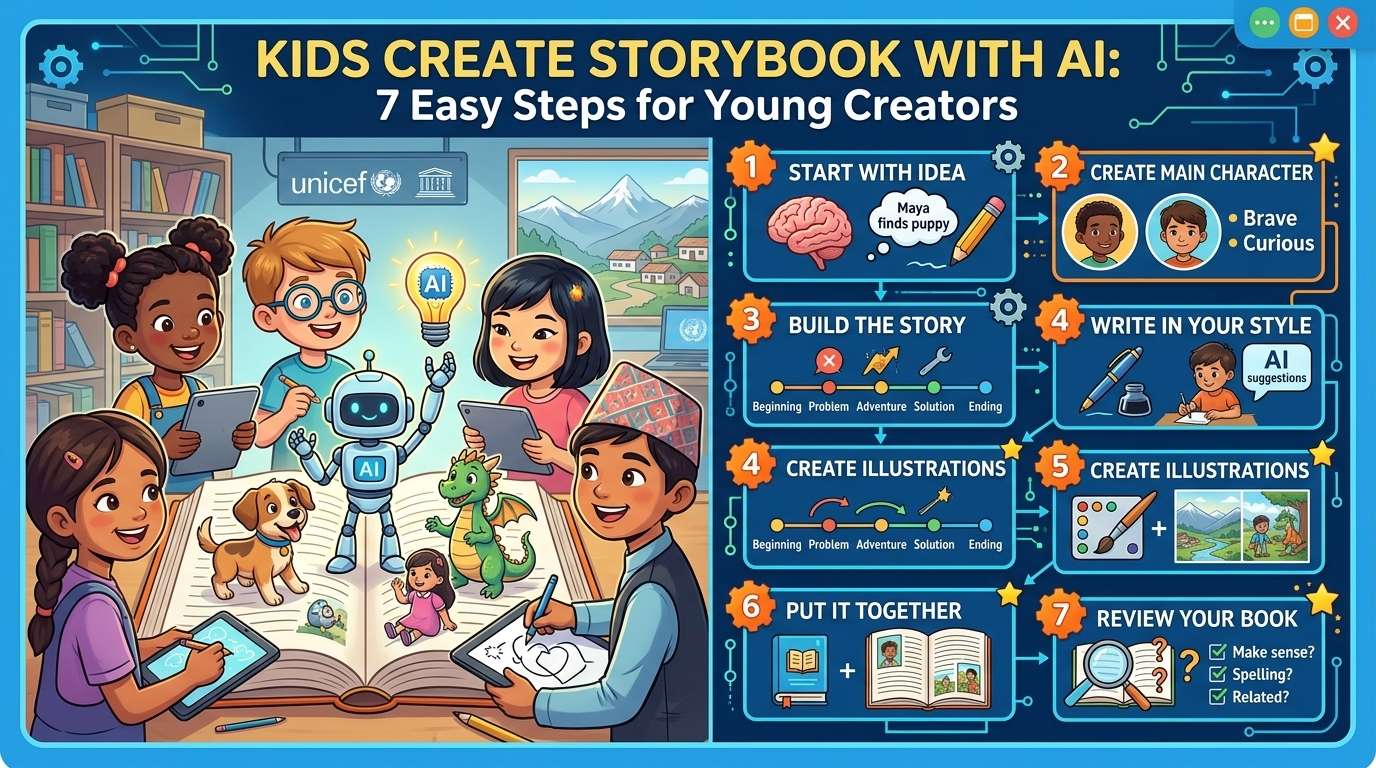
Kids can create storybook with AI and turn their imagination into an exciting digital book. With AI tools, children can develop characters, create story ideas, write simple stories, and design illustrations with guidance from parents or teachers.
Creating a storybook with AI can make learning more interactive while helping children practice writing, creativity, reading, and digital skills. However, AI should be treated as a creative assistant rather than a replacement for the child’s imagination. If your child is just starting to explore what AI even is, our guide on AI for K-3 is a good place to begin.
In this guide, we will explore how kids can create storybook with AI through seven simple and fun steps.
Why Kids Can Create Storybook With AI
When kids can create storybook with AI, they can experiment with storytelling without needing advanced writing or design skills.
A child might begin with a simple idea such as:
“A little girl discovers a magical tree behind her school.”
AI can help turn that basic idea into possible characters, scenes, conversations, and story endings.
However, children should make the important creative decisions themselves.
They can decide:
- What the story is about
- Who the main character is
- Where the story takes place
- What problem the character faces
- How the character solves the problem
- What pictures should appear in the book
- What lesson the story should teach
This makes the process a useful activity for developing both creativity and digital literacy.
UNICEF provides guidance about responsible AI use for children, including considerations around children’s safety, privacy, development, and well-being. Read UNICEF’s Guidance on AI and Children.
1. Start With an Idea
The first step is to choose a simple story idea.
Children do not need to start with a complicated plot. A single imaginative idea can become an entire story.
Here are some examples:
- A cat that wants to become a firefighter
- A child who discovers a magical garden
- A friendly robot visiting Nepal
- Two friends searching for a lost kite
- A young explorer traveling through the Himalayas
- A magical pencil that brings drawings to life
Ask the child:
“What kind of story would you like to create?”
Allow the child to answer before asking AI for suggestions. This ensures that the child’s imagination remains the starting point.
2. Create the Main Character
The next step is to create the main character.
When kids can create storybook with AI, they can use AI to brainstorm character ideas while making the final decisions themselves.
Ask the child to choose:
Name: What is the character called?
Age: How old is the character?
Personality: Is the character curious, brave, funny, kind, or adventurous?
Goal: What does the character want?
Problem: What challenge does the character face?
For example:
Name: Maya
Age: 9
Personality: Curious and brave
Goal: Find her lost puppy
Problem: Her puppy has wandered into a mysterious forest.
A child could then ask AI:
“Give me three adventure ideas for a 9-year-old girl named Maya who is looking for her lost puppy.”
The child can select their favorite idea and change anything they do not like.
3. Build the Story
Once the character is ready, the story can be developed.
A simple children’s story can have five parts:
Beginning
Introduce the character and setting.
Problem
Something happens that creates a challenge.
Adventure
The character tries to solve the problem.
Solution
The character finds a way to overcome the challenge.
Ending
The story finishes with a meaningful conclusion.
For example:
Beginning: Maya discovers that her puppy is missing.
Problem: She finds pawprints leading toward a forest.
Adventure: Maya follows the trail and meets several friendly animals.
Solution: She discovers her puppy near a small stream.
Ending: Maya safely brings her puppy home.
AI can suggest ideas for each section, but children should decide which ideas belong in their story.
4. Write the Story in the Child’s Own Voice
AI can help generate ideas, but children should also have an opportunity to write.
For younger children, parents or teachers can help turn their ideas into simple sentences.
For example:
“Maya walked slowly into the forest. She heard a tiny sound behind a tree.”
The child might decide that Maya should feel nervous but remain brave. The sentence could then be changed to reflect the child’s idea.
This is an important part of the process because the purpose is not simply to get AI to write a book. The purpose is to help children learn how stories are planned, written, edited, and improved — with AI as a helper, not the author.
5. Create Illustrations With AI
One of the most exciting parts of this process is making illustrations.
Children can describe what they imagine and use an appropriate AI image tool with adult guidance.
For example, a child might create a prompt like:
“Create a colorful children’s storybook illustration of a brave 9-year-old girl exploring a magical forest with her small brown puppy. Friendly animals are watching from behind the trees.”
Children can experiment with:
- Characters
- Animals
- Backgrounds
- Weather
- Clothing
- Different locations
- Different artistic styles
However, children should not upload private photographs or personal information into AI tools without permission from a trusted adult. For more on this, read our guide on 10 Things Children Should Never Share With AI.
6. Put the Story and Illustrations Together
After creating the written story and illustrations, the pieces can be organized into a digital storybook.
A simple structure could look like this:
Cover Page — Story title and main illustration
Page 1 — Introduce the main character
Page 2 — Introduce the problem
Page 3 — Begin the adventure
Page 4 — Show the main challenge
Page 5 — Show how the character solves the problem
Page 6 — Finish the story
Final Page — Add a lesson or message
A children’s storybook does not need to be very long. Even a five- or six-page book can give children a satisfying creative project. The important part is that children are making decisions about the story and artwork throughout.
7. Review the Finished Storybook
The final step is reviewing the book.
Ask the child:
- Does the story make sense?
- Is the character interesting?
- Does the ending make sense?
- Do the illustrations match the story?
- Are there spelling mistakes?
- Is anything confusing?
- Did AI add anything that was not intended?
- Does the story sound like something the child would tell?
Children should be encouraged to edit the story rather than accepting the first AI-generated version. AI can make mistakes, so human review is important.
The UNESCO guidance on generative AI in education discusses responsible use of generative AI in educational settings and the importance of human involvement.
Fun Story Ideas Kids Can Create With AI
Once children understand the basic process, they can experiment with different themes.
🐱 Animal Adventure
A lost cat travels through a village and meets animals that help it find its way home.
🚀 Space Adventure
A young astronaut discovers a mysterious planet filled with unusual creatures.
🏔️ Himalayan Adventure
Two friends discover a hidden village while exploring the mountains.
🤖 Robot Friend
A child meets a friendly robot that wants to understand human emotions.
🌳 Magical Forest
A child discovers that the trees in a nearby forest can talk.
🏫 School Mystery
A student discovers a mysterious object hidden inside the school library.
🌱 Environmental Adventure
Children work together to clean a polluted river and protect their community.
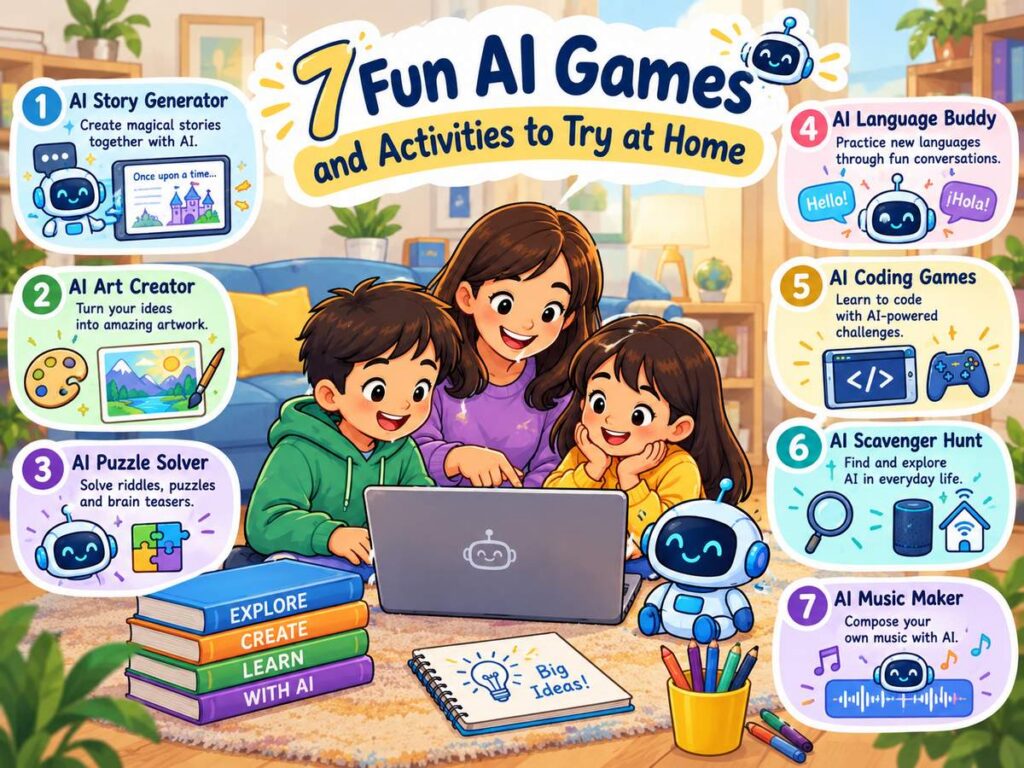
These stories can also introduce children to topics such as science, geography, environmental awareness, friendship, and teamwork. Looking for more screen-time-friendly ideas? Check out our list of AI games and activities to try at home.
How Parents Can Help Kids Create Storybook With AI
Parents do not need to create the entire book for their children. Instead, parents can guide the process.
Ask questions such as:
“What happens next?”
“Why does the character do that?”
“What should the character look like?”
“How should the story end?”
“What would you change about this AI suggestion?”
These questions encourage children to think independently.
Parents should also review AI-generated content and help younger children understand what information should remain private. For a broader look at supporting your child’s AI learning journey, see our guide on how parents can help their children learn AI.
A useful workflow is:
Child’s idea → AI assistance → Child’s review → Final story
This keeps the child at the center of the creative process.
How Teachers Can Help Kids Create Storybook With AI
Teachers can turn this activity into a classroom project.
Students can work individually or in groups to create short stories.
A classroom activity could involve:
- Choosing a topic
- Creating characters
- Planning the plot
- Writing the story
- Creating illustrations
- Reviewing the AI-generated content
- Presenting the finished storybook
This activity can support:
- Creative writing
- Reading
- Digital literacy
- Communication
- Teamwork
- Critical thinking
- Imagination
Teachers can also ask students to identify which parts were created by them and which parts were assisted by AI. For more on classroom AI use, read our guide on ChatGPT in schools.
AI Safety Rules for Children
Safety should always be part of the activity.
Children should remember:
- Never share passwords with AI.
- Avoid sharing home addresses.
- Do not share private phone numbers.
- Do not upload private photographs without permission.
- Do not share another person’s private information.
- Do not assume AI is always correct.
- Ask a trusted adult when unsure.
- Review AI-generated content before sharing it.
AI can be a useful tool, but children should understand that it does not replace parents, teachers, or other trusted adults.
AI Should Support Children’s Creativity
The biggest benefit of letting kids create a storybook with AI is that children can see their ideas become something tangible.
However, the child’s imagination should always come first.
Instead of:
AI creates everything → child copies it
a better approach is:
Child imagines → child creates → AI helps → child reviews → child improves
This approach gives children ownership of their creative work. It also teaches an important lesson about AI: technology can help people create, but people still need to make decisions, check information, and use their own judgment.
Final Thoughts
Kids can create storybook with AI by combining their imagination with AI-powered writing and image tools. From developing characters and planning plots to creating illustrations and reviewing the final book, children can participate in every stage of the creative process.
The goal is not to create the longest or most impressive story. The goal is to help children become confident creators.
With guidance from parents and teachers, this activity builds writing skills, creativity, critical thinking, and responsible digital habits along the way.
The best AI storybook is one where the child’s ideas, imagination, decisions, and voice remain at the center.